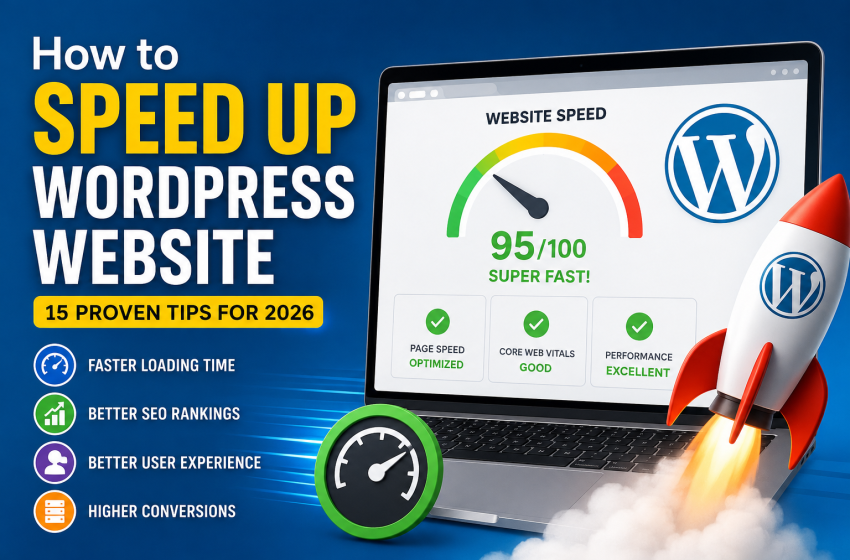
A slow WordPress website can drive visitors away, reduce conversions, and negatively affect your search engine rankings. Google considers page speed as one of the ranking factors, making website performance essential for both SEO and user experience.
The good news is that you don’t need to be a developer to improve your site’s speed. By following the tips in this guide, you can significantly reduce loading times and create a faster, more responsive website.
Why Website Speed Matters
Website speed affects more than just loading time. A faster website can:
- Improve Google search rankings
- Reduce bounce rates
- Increase conversions
- Improve user experience
- Boost Core Web Vitals scores
- Increase page views
Studies consistently show that visitors are more likely to leave a website if it takes more than a few seconds to load.
1. Choose Fast Web Hosting
Your hosting provider is the foundation of your website’s performance.
Shared hosting may be suitable for small websites, but growing sites often benefit from VPS or cloud hosting that offers better resources and performance.
Look for hosting providers that offer:
- NVMe SSD storage
- LiteSpeed or Nginx servers
- PHP 8.3 or newer
- HTTP/2 or HTTP/3 support
- Free CDN integration
- Built-in caching
2. Use a Lightweight WordPress Theme
Some WordPress themes include unnecessary features that slow down your website.
Choose a lightweight, optimized theme designed for speed.
Popular fast themes include:
- Astra
- GeneratePress
- Kadence
- Blocksy
- Hello Elementor
3. Install a Caching Plugin
Caching dramatically reduces the amount of work your server performs for each visitor.
Popular caching plugins include:
- LiteSpeed Cache
- WP Rocket
- FlyingPress
- W3 Total Cache
- WP Super Cache
A good caching plugin can reduce loading times by several seconds.
4. Optimize Images
Large images are one of the biggest causes of slow websites.
Always:
- Resize images before uploading
- Compress images
- Use WebP or AVIF formats
- Enable lazy loading
Helpful image optimization plugins include:
- ShortPixel
- Imagify
- Smush
- EWWW Image Optimizer
5. Enable GZIP or Brotli Compression
Compression reduces file sizes before they are sent to visitors.
Most modern hosting providers support:
- GZIP
- Brotli (recommended)
This can significantly reduce CSS, JavaScript, and HTML file sizes.
6. Use a Content Delivery Network (CDN)
A CDN stores copies of your website around the world.
Visitors download files from the nearest server instead of your main hosting server.
Popular CDN providers include:
- Cloudflare
- Bunny.net
- KeyCDN
7. Minify CSS and JavaScript
Minification removes unnecessary spaces and comments from your website files.
This helps browsers download files faster.
Many caching plugins can automatically:
- Minify CSS
- Minify JavaScript
- Combine files
- Delay JavaScript execution
8. Reduce Plugin Usage
Installing too many plugins can slow down your website.
Instead of focusing on the number of plugins, focus on plugin quality.
Remove plugins that:
- Are no longer used
- Duplicate functionality
- Have poor reviews
- Haven’t been updated recently
9. Update PHP Regularly
Each PHP release improves performance.
Using PHP 8.3 or newer can noticeably improve WordPress speed compared to older versions.
Always test compatibility before upgrading.
10. Optimize Your Database
Over time, your WordPress database accumulates:
- Spam comments
- Post revisions
- Expired transients
- Unused metadata
Cleaning your database reduces unnecessary data and improves performance.
Plugins like WP-Optimize can automate database cleanup.
11. Enable Browser Caching
Browser caching stores website files on visitors’ devices.
Returning visitors won’t need to download the same files again, making pages load much faster.
12. Use Lazy Loading
Lazy loading delays loading images until users scroll to them.
This reduces initial page size and improves loading speed.
WordPress supports native lazy loading for images, and many optimization plugins provide additional controls.
13. Optimize Fonts
Custom fonts can slow your website.
Best practices include:
- Limit the number of font families
- Use WOFF2 fonts
- Preload important fonts
- Host fonts locally when possible
14. Reduce External Requests
Every external script adds loading time.
Common external requests include:
- Google Fonts
- Facebook Pixel
- Live chat widgets
- Analytics scripts
- Advertisement networks
Only load scripts that are truly necessary.
15. Monitor Your Website Speed
Regular testing helps identify performance issues before they affect visitors.
Popular testing tools include:
- Google PageSpeed Insights
- GTmetrix
- Pingdom Website Speed Test
- WebPageTest
Monitor:
- Largest Contentful Paint (LCP)
- First Contentful Paint (FCP)
- Cumulative Layout Shift (CLS)
- Time to First Byte (TTFB)
Common Mistakes That Slow Down WordPress
Avoid these common issues:
- Uploading uncompressed images
- Using outdated plugins
- Installing too many page builders
- Cheap shared hosting
- Too many advertisements
- Excessive animations
- Unoptimized databases
Frequently Asked Questions
How fast should a WordPress website load?
Ideally, your website should load in under 2 seconds. Faster load times improve user experience and can positively impact SEO.
Does website speed affect SEO?
Yes. Google uses page experience and performance signals as part of its ranking systems. A faster website can help improve rankings when combined with high-quality content.
Which caching plugin is best?
Popular choices include LiteSpeed Cache (best for LiteSpeed servers), WP Rocket, and FlyingPress. The best option depends on your hosting environment.
Do images slow down WordPress?
Yes. Large, uncompressed images are one of the most common causes of slow-loading websites. Compressing images and using modern formats like WebP can make a significant difference.
Final Thoughts
Improving your WordPress website’s speed isn’t about applying a single fix—it’s about combining multiple optimizations. Choosing reliable hosting, using a lightweight theme, enabling caching, optimizing images, and keeping WordPress updated all contribute to a faster, more responsive website.
Make performance testing a regular part of your website maintenance. As your site grows, continue reviewing plugins, database health, and Core Web Vitals to ensure visitors enjoy a smooth experience.