No products in the cart.


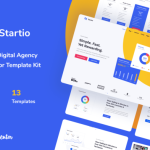
Recruite is an innovative Elementor Template Kit designed for effortlessly building professional websites tailored for your business using the Elementor Page Builder plugin for WordPress. Unlike traditional WordPress themes, this Template Kit offers a unique approach, providing dedicated page content specifically for the Elementor page builder. While optimized for use with the free Hello Elementor theme, it is versatile enough to work seamlessly with various themes that support Elementor.
With a focus on increasing user engagement and conversion rates, Recruite is perfect for businesses looking to establish a solid online presence quickly. The intuitive drag-and-drop interface of Elementor allows users to customize their website without needing extensive coding knowledge, making it accessible to everyone from beginners to experienced developers.
Templates Included
- Home
- About Us
- Team
- Services
- Pricing
- FAQs
- Blog
- Single Blog Post
- 404 Error Page
- Contact Us
Fonts Utilized
- Poppins
- Roboto
Plugins Bundled with This Kit
- ElementsKit Lite
- Jeg Elementor Kit
- Metform
- Header, Footer & Blocks Template
Step-by-Step Guide to Using Template Kits:
- Install and Activate the “Envato Elements” plugin via Plugins > Add New in your WordPress dashboard.
- Download your kit file without unzipping it.
- Navigate to Elements > Installed Kits and click the “Upload Template Kit” button. Alternatively, you can import automatically by connecting your Elements account under Elements > Template Kits.
- Look for the orange banner at the top of your screen and click “Install Requirements” to enable any necessary plugins.
- Import the “Global Kit Styles” first to ensure consistent styling across the website.
- Import each template individually. These templates can be found in Elementor under Templates > Saved Templates.
- Create a new page from the Pages menu and click “Edit with Elementor.”
- Access the page settings by clicking the gear icon in the lower-left corner of the builder, select “Elementor Full Width,” and hide the page title.
- Access “My Templates” by clicking the gray folder icon and import the page templates you wish to customize.
*How to Import a Custom Metform*
- Begin by importing the Metform template.
- Next, import the template on the page where the form will be displayed. Edit this in Elementor.
- Select the Metform widget in the designated column, then click “Edit Form.”
- Choose “New” and leave the preset blank, then click the “Edit Form” button.
- Click the “Add Template” button (the gray folder icon).
- Go to the “My Templates” tab.
- Select your imported Metform template and click “Insert.”
- Once the template is successfully loaded, remember to hit “Update.”
Please note that this Template Kit utilizes demo images sourced from Envato Elements. To use these images on your website, you will need to acquire the appropriate licenses from Envato Elements or replace them with images of your own choosing.
By utilizing the Recruite Template Kit, you not only streamline the website creation process but also ensure that your site is visually appealing and user-friendly, ultimately driving more traffic and conversions. Experience the ease of building your dream website with Recruite today!
Get this wordpress theme or any wordpress theme of your choice for only 10usd whatsapp +2349134764136