
No products in the cart.
 |  |  |
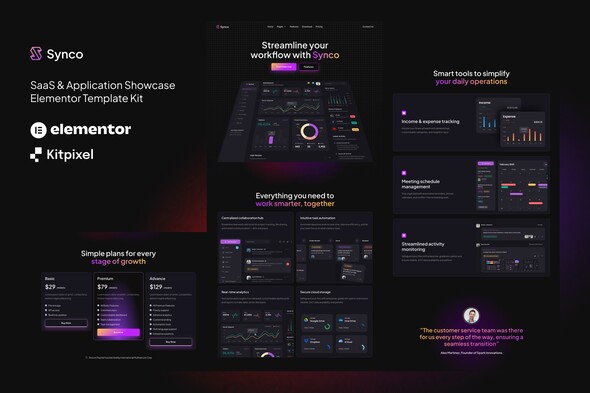
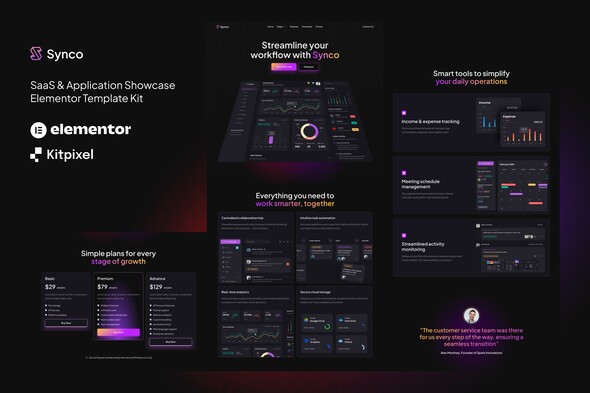
Introducing Synco, a versatile Elementor Template Kit designed specifically for crafting stunning SaaS and Application Showcase websites. With the intuitive Elementor Page Builder plugin for WordPress, Synco makes it effortless to construct visually appealing and highly functional sites for various purposes, including SaaS platforms, applications, IT services, digital downloads, cloud services, and more. Revamp your WordPress site with this modern and creative web design template kit, providing you with the tools to create a vibrant and engaging online presence.
It’s important to note that Synco is not a full-fledged WordPress theme but rather a collection of page templates optimized for use with Elementor. This template kit is designed to work seamlessly with the free Hello Elementor theme, while also compatible with a wide range of other Elementor-supported themes.
Key Features:
- Over 10 professionally designed templates
- True no-code customization using a drag-and-drop visual builder
- Easily customize fonts and colors globally or on individual elements
- Clean, modern, and minimalistic design aesthetics
- Fast-loading performance to enhance user experience
- Fully responsive design for optimal viewing on any device
- Compatible with most themes that support the Elementor framework
Included Templates:
- Home Page
- Features Page
- Pricing Page
- Download Page
- Integration Page
- Contact Page
- Blog Page
- Post Page
- Header Template
- Footer Template
- Global Styling Options
Included Plugins:
- ElementsKit Lite for enhanced functionality
How to Use Template Kits:
Remember, this is not a traditional WordPress theme. Instead, it consists of design data intended for use with the Elementor page builder and can be easily installed through the Envato Elements plugin or directly via Elementor itself.
To utilize the Elementor Template Kits, make sure you have the Envato Elements plugin installed on your WordPress site.
Easy Installation Guide:
- Access the Envato Elements plugin within your WordPress dashboard to install the template kit with just a few clicks.
Setting Up Your Global Header and Footer with ElementsKit:
If you are utilizing Elementor Pro, you can customize headers and footers through the Theme Builder feature.
- Import the header and footer templates you wish to use.
- Navigate to ElementsKit > Header Footer and click Add New.
- Assign a title to your header and select Entire Site to apply it universally, then toggle Activation to On.
- Click the Edit Content button to open the builder interface.
- Select your header template and menu, and click Update to save your changes.
- Repeat the process for the footer template.
Image Licensing: This Template Kit utilizes demo images sourced from Envato Elements. To use these images on your website, you will need to acquire the appropriate licenses or replace them with your personal images to maintain the unique look and feel of your site.
Get this wordpress theme or any wordpress theme of your choice for only 10usd whatsapp +2349134764136